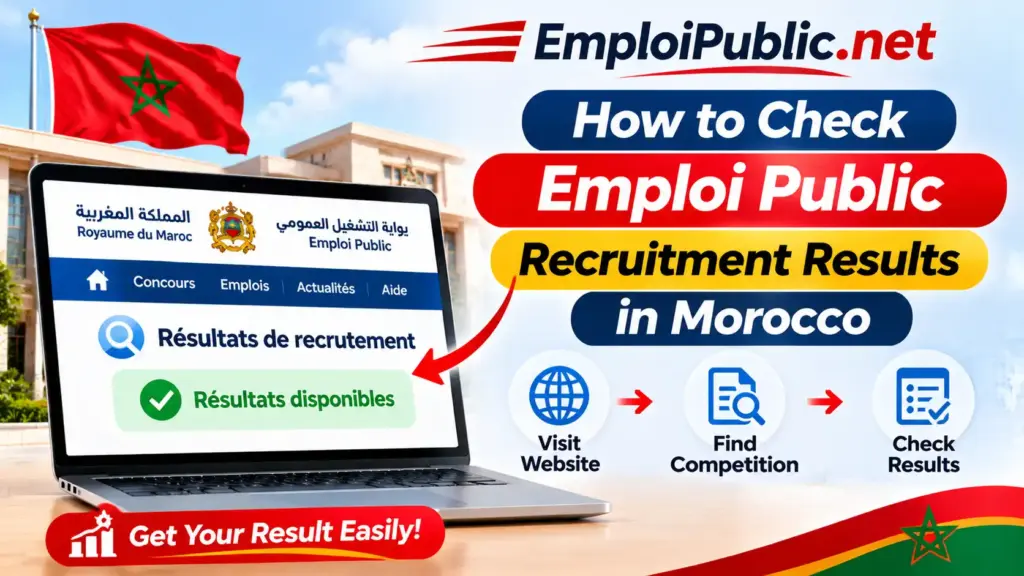
How to Check Emploi Public Recruitment Results in Morocco
After applying for a government job in Morocco, one of the most important steps is checking the recruitment results. Candidates need to know whether they have been selected for a written examination, an interview, or the next stage of a public sector recruitment competition (concours).
The Emploi Public portal helps candidates find public recruitment announcements and information published by Moroccan government administrations and public institutions.
In this guide, you will learn how to check Emploi Public recruitment results in Morocco, find lists of selected candidates, follow examination updates, and understand the different stages of the recruitment process.
What Are Emploi Public Recruitment Results?
Emploi Public recruitment results are announcements published during or after a public sector recruitment competition in Morocco.
These announcements may provide information about candidates selected for different stages of the recruitment process.
Depending on the competition, you may find:
- Lists of candidates selected to take a written examination.
- Lists of candidates invited for an oral interview.
- Examination schedules and instructions.
- Results of written or practical examinations.
- Final lists of successful candidates.
- Additional recruitment-related announcements.
The recruiting administration or institution is responsible for publishing the relevant results and official information.
Where to Check Government Recruitment Results in Morocco?
The first place to check is the official Moroccan public employment portal:
Official website: https://www.emploi-public.ma/
You can use the portal to find recruitment announcements and identify the administration responsible for a competition.
You should also check the recruiting institution’s official website because some results, examination schedules, and candidate lists may be published directly by that institution.
How to Check Emploi Public Recruitment Results Step by Step
Follow these steps to find information about a recruitment competition and its results.
Step 1 – Visit the Official Emploi Public Portal
Open your browser and visit:
You can access the portal using a computer, tablet, or smartphone.
Step 2 – Search for the Recruitment Competition
Use the search area on the homepage to find the competition you participated in.
You can search using information such as:
- The job title.
- The recruiting institution.
- The ministry or administration name.
- The professional specialization.
- Keywords from the original recruitment announcement.
Using the exact job title or institution name can make it easier to identify the correct competition.
Step 3 – Open the Relevant Announcement
Review the search results and select the announcement related to your application.
Make sure the job title, recruiting institution, and competition details match your application.
Step 4 – Check the Published Information
Read the announcement carefully and look for links, documents, or updates related to the recruitment process.
Depending on the institution, results may be published in a separate notice or on another official page.
Step 5 – Visit the Recruiting Institution’s Website
If you cannot find the results on the Emploi Public portal, visit the official website of the administration responsible for the competition.
Look for sections with names such as:
- Résultats des concours.
- Liste des candidats retenus.
- Liste des candidats convoqués.
- Résultats définitifs.
- Avis de concours.
The exact section name may differ between institutions.
Step 6 – Open the Results Document
Some administrations publish results as PDF documents.
Open the document and check its title, publication date, competition name, and any instructions provided.
Make sure the document relates to the correct recruitment competition.
Step 7 – Search for Your Candidate Information
If the results document contains a candidate list, use your browser’s search function to look for your name or candidate reference number, if provided.
On most computers, you can press Ctrl + F to search within the document.
On smartphones, use the search option in your PDF reader.
Check the spelling carefully and review the full document before reaching a conclusion.
How to Find Lists of Candidates Selected for Written Exams?
The first results published during a recruitment competition may identify candidates authorized to take the written examination.
To find these lists:
- Identify the recruiting institution.
- Visit its official website.
- Search for the competition title.
- Look for a document titled Liste des candidats convoqués or a similar announcement.
- Open the document and check the candidate information.
- Review the examination date, location, and instructions.
If you are selected, carefully follow the instructions and arrive at the examination location according to the published schedule.
How to Check Oral Interview Results?
Some public recruitment competitions include an oral interview after the written examination.
To check whether you have been selected:
- Visit the recruiting institution’s official website.
- Find the relevant recruitment competition.
- Look for an oral examination or interview announcement.
- Open the published candidate list, if available.
- Check your name or candidate reference.
- Review the interview date, time, location, and required documents.
Not every recruitment competition includes an oral interview. The selection stages depend on the position and the official recruitment notice.
How to Check Final Recruitment Results?
Final recruitment results are usually published after the required selection stages have been completed.
Depending on the institution, the final announcement may include:
- The names of successful candidates.
- Candidate reference numbers.
- The position or specialization.
- A main list of successful candidates.
- A waiting or supplementary list, when applicable.
- Instructions for the next administrative steps.
To find the final results, search for announcements titled Résultats définitifs du concours or Liste des candidats admis.
Always read the accompanying instructions because the next steps and deadlines may vary.
How to Download Emploi Public Recruitment Results in PDF?
If the recruiting institution publishes results as a PDF, you can usually save a copy to your device.
On Android
- Open the official results page in your browser.
- Select the PDF document.
- Wait for it to load.
- Tap the download icon or browser menu.
- Select the download option.
- Open the document using a PDF reader.
On iPhone
- Open the official results document.
- Tap the Share icon.
- Select Save to Files.
- Choose a folder on your device.
- Tap Save to keep the document.
On Windows or Mac
- Open the results document.
- Click the download icon.
- Choose a destination folder.
- Save the PDF.
- Open it and search for your candidate information.
What Do Different Recruitment Result Statuses Mean?
Recruitment announcements may use different terms to describe a candidate’s status.
Here are some common French expressions you may encounter.
| French Expression | Meaning in English |
|---|---|
| Liste des candidats convoqués | List of candidates invited |
| Admissible | Eligible to proceed to the next selection stage |
| Liste des candidats retenus | List of selected candidates |
| Résultats provisoires | Provisional results |
| Résultats définitifs | Final results |
| Liste d’attente | Waiting list |
| Liste des candidats admis | List of successful candidates |
| Non retenu | Not selected |
| Épreuve écrite | Written examination |
| Épreuve orale | Oral examination |
The exact meaning of each status depends on the recruitment procedure and the instructions published by the responsible institution.
What to Do After Checking Your Recruitment Results?
Your next steps depend on the result and the stage of the competition.
If You Are Selected for the Written Examination
Read the examination instructions and prepare the required documents.
Check the date, time, and examination location carefully.
If You Are Invited to an Oral Interview
Review the interview instructions and prepare for questions related to your education, experience, and the position.
Make sure you know where and when the interview will take place.
If You Are on the Waiting List
Read the official announcement to understand how the waiting list works.
Check for further updates from the recruiting institution.
If You Are on the Final Successful Candidates List
Follow the instructions published by the administration.
You may be asked to provide additional documents or complete administrative procedures within a specified period.
If Your Name Is Not on the List
Read the complete announcement and confirm that you are checking the correct competition and result stage.
If you believe there is an error, contact the recruiting institution using its official communication channels.
Why Are Emploi Public Recruitment Results Not Showing?
Sometimes candidates cannot find the results they are looking for.
Here are some possible reasons.
Results Have Not Been Published Yet
The recruitment process may still be ongoing. Check the original announcement and the recruiting institution’s website for updates.
You Are Checking the Wrong Institution
The results may be published directly by the administration responsible for the competition rather than on the main portal.
The Competition Title Is Different
Try searching with the exact job title, institution name, or competition reference.
The Results Are Published as a PDF
Check the recruitment announcement for attached documents or links to downloadable files.
The Website Is Temporarily Unavailable
Try again later, refresh the page, or use another browser.
You Are Looking at an Older Announcement
Check the publication date and competition details to make sure the results correspond to your application.
Tips for Following Recruitment Results in Morocco
Following these practical tips can help you avoid missing important recruitment updates.
- Keep the original recruitment announcement.
- Save the competition reference and job title.
- Check the official portal regularly.
- Visit the recruiting institution’s website.
- Keep copies of your application documents.
- Review examination dates and deadlines carefully.
- Download important results documents.
- Follow the instructions included in every official announcement.
You can also use a calendar reminder to keep track of expected examination dates and other important recruitment deadlines.
Ending Thoughts
Checking Emploi Public recruitment results in Morocco is an important step for anyone participating in a public sector recruitment competition.
Start by identifying the correct competition on the official Emploi Public portal, then check the recruiting institution’s website for candidate lists, examination schedules, and final results.
Always verify the competition details and read the complete official announcement before taking your next step.
By following these instructions, you can make it easier to find recruitment updates and stay informed throughout the public sector hiring process in Morocco.
Frequently Asked Questions
Where can I check Emploi Public recruitment results in Morocco?
Start with the official portal at https://www.emploi-public.ma/. You should also check the recruiting institution’s official website for candidate lists and result announcements.
How do I know if I passed a government recruitment competition?
Find the official results document for your competition and check your name or candidate reference number against the published list.
How can I find the list of candidates selected for a written examination?
Visit the recruiting institution’s website and look for an announcement titled Liste des candidats convoqués or a similar expression.
Where can I find final recruitment results in Morocco?
Check the official Emploi Public portal and the website of the administration responsible for the competition. Search for Résultats définitifs or Liste des candidats admis.
Can I download recruitment results in PDF?
Yes. If the institution publishes results as a PDF, you can open and save the document on your computer or smartphone.
What does Admissible mean in Moroccan recruitment results?
It generally means that a candidate has met the requirements to proceed to the next selection stage. Check the official announcement for the exact procedure.
What does Liste d’attente mean?
It means waiting list. Candidates on this list may be considered according to the recruitment rules and any further decisions made by the responsible institution.
Why are recruitment results not available on Emploi Public?
The results may not have been published yet, or the recruiting institution may publish them separately on its own official website.
How can I check oral interview results?
Visit the recruiting institution’s website and look for the interview announcement or the list of candidates selected for the oral examination.
Can I check Emploi Public results on my phone?
Yes. You can access the official portal and recruitment result documents using a mobile browser or a compatible PDF reader.
Are Emploi Public recruitment results free to access?
Publicly available recruitment announcements and result documents can generally be consulted without paying a fee. Use official websites to access them.
What should I do if my name is missing from the results list?
First, verify that you are checking the correct competition and result stage. If you believe there is an error, contact the recruiting institution through its official channels.