How to Search for Government Jobs in Morocco Using Emploi Public
Finding government job opportunities in Morocco can be easier when you know where to search and how to use the available recruitment tools. The Emploi Public portal helps candidates explore public sector job announcements, recruitment competitions, and employment opportunities published by Moroccan administrations and public institutions.
Whether you are a recent graduate, an experienced professional, or preparing for your first government recruitment competition (concours), knowing how to search for government jobs can help you identify opportunities that match your qualifications.
In this guide, you will learn how to search for government jobs in Morocco using Emploi Public, choose relevant keywords, filter recruitment announcements, understand job listings, and find the information needed before applying.
What Is Emploi Public Morocco?
Emploi Public is the Moroccan public employment portal, providing information about recruitment opportunities within government administrations and public institutions.
The official website is:
Through the portal, candidates can explore different types of recruitment announcements, including:
- Public sector recruitment competitions (concours de recrutement).
- Senior government positions (emplois supérieurs).
- Positions of responsibility (postes de responsabilité).
- Expert and specialist opportunities.
- Recruitment announcements published by public administrations and institutions.
The portal provides a place to consult recruitment information and discover opportunities across different professional fields.
How to Search for Government Jobs in Morocco?
Follow these steps to find public sector employment opportunities using the Emploi Public website.
Step 1 – Visit the Official Emploi Public Website
Open your preferred browser on your computer, tablet, or smartphone.
Visit the official website:
The homepage provides access to recruitment announcements and search tools.
Step 2 – Find the Job Search Section
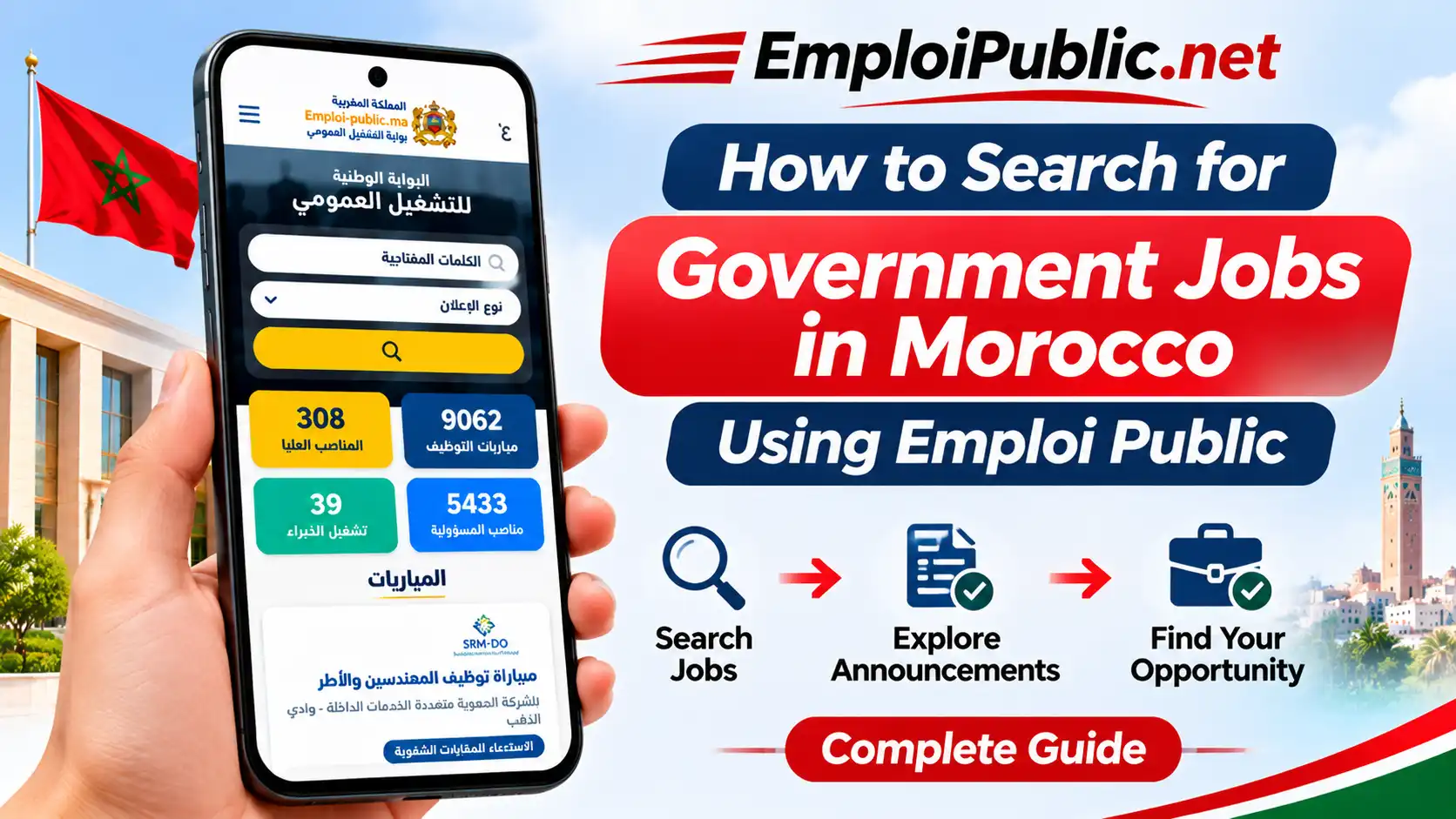
On the homepage, locate the search area under the main public employment heading.
You will generally find a keyword field and an announcement-type selector.
These tools help you narrow your search and explore relevant recruitment opportunities.
Step 3 – Enter a Relevant Keyword
Type a keyword related to the job you want to find.
You can search using different types of terms, such as:
- Job titles.
- Professional specializations.
- Educational qualifications.
- Government administration names.
- Ministry names.
- Technical or professional skills.
For example, if you are interested in accounting positions, you can try keywords such as Comptable, Finance, or Gestion.
Using specific keywords can make your search more focused.
Step 4 – Select the Announcement Type
The search interface includes an announcement-type filter.
Depending on the available options, you can choose the type of recruitment information you want to explore.
For example:
- Recruitment competitions.
- Senior positions.
- Positions of responsibility.
- Expert opportunities.
Selecting a relevant category can help you avoid unrelated results.
Step 5 – Click the Search Button
After entering your keyword and selecting an announcement type, click the search button.
The portal will display results matching the search criteria available on the website.
Step 6 – Browse the Recruitment Announcements
Review the displayed announcements and look for positions that match your education, experience, and professional interests.
Pay attention to the job title, recruiting institution, number of available positions, and application deadline.
Step 7 – Open the Job Announcement
Select an announcement to read its full details.
Do not rely only on the short description displayed in the search results.
Read the recruitment notice carefully before deciding whether to apply.
How to Search for Government Jobs by Profession?
Searching by profession is useful when you already know the type of work you want to pursue.
Here are examples of keywords you can use when exploring opportunities on Emploi Public.
| Professional Field | Example Search Keywords |
|---|---|
| Administration | Administrateur, Assistant administratif |
| Accounting | Comptable, Finance |
| Engineering | Ingénieur, Génie civil |
| Information Technology | Informatique, Développeur |
| Healthcare | Infirmier, Médecin |
| Education | Enseignant, Professeur |
| Law | Juriste, Droit |
| Economics | Économie, Gestion |
| Human Resources | Ressources humaines |
| Technical Services | Technicien, Maintenance |
Try different related keywords because recruitment announcements may use different professional titles.
How to Search for Jobs by Government Institution?
You can also search for opportunities by entering the name of a ministry, public administration, or recruiting institution.
This approach is useful if you have a particular organization in mind.
For example, you can explore announcements associated with:
- Ministries.
- Local and regional administrations.
- Public universities.
- Public hospitals and healthcare institutions.
- Public agencies.
- Government establishments.
- Other public institutions.
Enter the institution’s name in the search field when supported, then review the available announcements.
Always confirm the recruiting organization in the full recruitment notice.
How to Find Recruitment Competitions (Concours)?
Government recruitment competitions, commonly known as concours, are an important part of public sector hiring in Morocco.
To find these opportunities:
- Visit the Emploi Public portal.
- Locate the recruitment search section.
- Select the recruitment competition category if available.
- Enter a relevant profession or qualification keyword.
- Browse the displayed announcements.
- Open an opportunity that matches your profile.
- Review the eligibility requirements and application deadline.
Some competitions require written examinations, interviews, practical tests, or other selection procedures.
The exact process depends on the recruiting institution and the position.
How to Understand a Government Job Announcement?
Before applying for a public sector position, you should understand the main information included in its recruitment notice.
1. Job Title
The job title explains the position being advertised.
Check whether the role matches your professional background and career objectives.
2. Recruiting Institution
This identifies the ministry, administration, agency, or public institution responsible for the recruitment.
3. Number of Positions
Some announcements specify how many vacancies are available.
4. Educational Requirements
Review the required diploma, degree, or educational level.
Some positions require specific qualifications or professional specializations.
5. Eligibility Conditions
Read the conditions carefully. They may include educational qualifications, professional experience, age requirements, or other criteria specified in the official notice.
6. Application Deadline
The deadline indicates the final date for submitting an application.
Make sure you understand the deadline and any time restrictions.
7. Required Documents
The announcement may request documents such as:
- A copy of your national identity card.
- Copies of educational diplomas.
- A CV.
- Professional certificates.
- An application form.
- Other supporting documents.
The exact list depends on the recruitment competition.
8. Examination and Selection Process
Check whether the recruitment process includes written examinations, interviews, practical tests, or other selection stages.
How to Apply for a Government Job in Morocco?
After finding an opportunity that matches your profile, follow the application procedure provided by the recruiting institution.
Step 1 – Check Your Eligibility
Compare your qualifications and experience with the conditions in the official announcement.
Step 2 – Read the Complete Recruitment Notice
Review all instructions, including the application method, required documents, and deadline.
Step 3 – Prepare Your Documents
Organize the documents requested by the recruiting institution.
Make sure the information is accurate and that the documents meet the specified requirements.
Step 4 – Follow the Application Instructions
Some institutions use online application systems, while others may specify a different submission method.
Follow the exact procedure described in the recruitment notice.
Step 5 – Submit Before the Deadline
Complete the application process before the closing date.
If you receive a confirmation or reference number, keep it for future reference.
Step 6 – Follow Recruitment Updates
Check the relevant official website for examination schedules, candidate lists, interview invitations, and final results.
Tips for Finding Government Jobs Faster
A structured job search can help you discover relevant opportunities more efficiently.
Use Multiple Keywords
Do not rely on a single search term. Try related job titles, qualifications, and professional specializations.
Check Different Recruitment Categories
Explore more than one announcement category if your qualifications match different types of public sector positions.
Search Regularly
New announcements may be published at different times throughout the year.
Review the Full Job Notice
Always read the complete recruitment announcement rather than relying only on its title.
Prepare Your Documents in Advance
Keep your CV, diplomas, and other commonly requested documents organized.
Track Application Deadlines
Use your phone calendar or another reminder tool to keep track of important dates.
Verify Important Information
Confirm recruitment requirements and application procedures through the official announcement and the recruiting institution.
Common Problems When Searching for Government Jobs
No Search Results Appear
Try using a broader keyword or a different spelling. You can also remove unnecessary filters and search again.
Too Many Results Are Displayed
Use more specific keywords, such as a job title, professional specialization, or institution name.
A Recruitment Announcement Is No Longer Available
The application period may have ended or the announcement may have been updated. Check the recruiting institution’s website for further information.
Job Information Is Unclear
Read the full recruitment notice and look for additional instructions published by the responsible institution.
The Website Is Not Loading
Check your internet connection, refresh the page, or try another browser.
Searching for Government Jobs on Mobile
You can explore Moroccan public employment opportunities using a smartphone.
The Emploi Public website can be accessed through a mobile browser, allowing you to search for announcements without using a desktop computer.
If you use the Emploi Public Android application, you can also explore its available search tools and recruitment categories.
For more information, read our guide: How to Use Emploi Public App on Android – Beginner’s Guide.
You can also explore the Emploi Public Web Version to learn more about accessing employment information online.
Ending Thoughts
Searching for government jobs in Morocco becomes easier when you understand how to use the Emploi Public portal and its recruitment search tools.
By choosing relevant keywords, exploring different announcement categories, and reviewing recruitment notices carefully, you can identify opportunities that match your qualifications and professional interests.
Remember to check eligibility conditions, prepare your documents, and submit applications according to the official instructions and deadlines.
Visit the official Emploi Public portal regularly to explore recruitment announcements and stay informed about public sector employment opportunities in Morocco.
Frequently Asked Questions
How can I search for government jobs in Morocco?
Visit the official Emploi Public website, enter a relevant keyword in the search field, select an announcement type if needed, and browse the available recruitment opportunities.
What is the official Emploi Public website?
The official Moroccan public employment portal is https://www.emploi-public.ma/.
Is Emploi Public free to use?
You can access publicly available recruitment information on the official portal without paying to browse announcements.
Can I search for government jobs by diploma?
You can try entering your diploma name, educational level, or professional specialization as a keyword. You should also review each announcement’s specific qualification requirements.
How can I find recruitment competitions in Morocco?
Explore the recruitment competition category on the Emploi Public portal and search using relevant professional or educational keywords.
Can I search for government jobs by city?
Check the search filters and information available in individual announcements. If a location filter is not available, review the recruiting institution and job announcement details.
How often should I check Emploi Public?
Check the portal regularly because recruitment announcements and application deadlines vary depending on the recruiting institutions.
What information should I check before applying?
Review the job title, recruiting institution, required qualifications, eligibility conditions, application deadline, required documents, and submission procedure.
Can I apply for government jobs directly through Emploi Public?
The application method depends on the recruiting institution. Follow the instructions in the official recruitment notice to complete your application.
Can I search for government jobs using my Android phone?
Yes. You can access the Emploi Public website through a mobile browser or explore the available features of the Android application.
Where can I check government recruitment results in Morocco?
Check the official Emploi Public portal and the website of the recruiting institution for published candidate lists and recruitment results.